









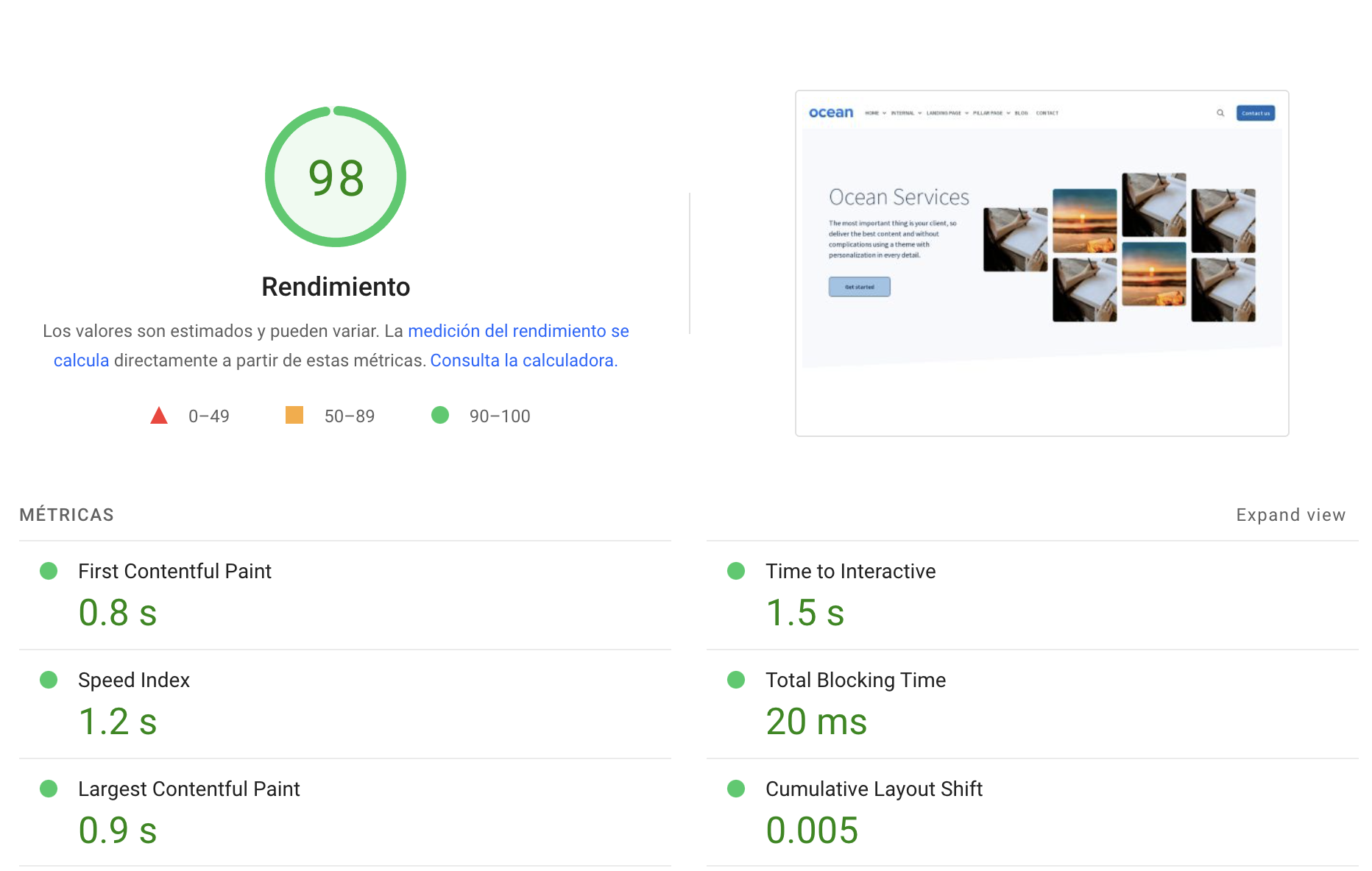
.png?width=319&height=267&name=gtmetrix_2023%20(1).png)

Free is a price, not a cost
A free HubSpot theme costs nothing to acquire. That is the only sentence in this article where the two words mean the same thing.
Everything a theme does not do for you, someone on your team does instead, and that person has an hourly cost whether or not anyone tracks it. The purpose of this piece is to put those lines on paper so you can price them with your own numbers, because ours will be wrong for your situation.
We sell a paid theme, so treat the framework as the useful part and the illustrative figures as illustrative. If you run the model and free wins, free wins. We have told customers exactly that.
The six lines nobody invoices
Here is the whole model. Fill in your own rate and your own page count.
| # | Cost line | What drives it | How to price it |
|---|---|---|---|
| 1 | Section gap | Free themes ship 5 to 16 saved sections; the premium tier ships 19 to 45 | Pages needing a custom layout × hours × your rate |
| 2 | Support latency | Stated response times range from five business days to none declared | Days of delay × what a delayed launch costs you |
| 3 | Update labor | HubSpot theme updates are not automatic; someone must apply each one | Updates per year × 30 min, plus the risk of never applying them |
| 4 | Brand drift | Fewer components means more pages assembled by hand, each slightly different | Periodic cleanup passes × hours |
| 5 | Performance remediation | HubSpot's approval floor for mobile performance is 40 out of 100 | Optimization hours, if you land on a theme near the floor |
| 6 | Switching cost | Changing themes does not migrate existing pages; they get rebuilt | Pages × rebuild hours × your rate |
Lines 3, 5 and 6 are the ones almost nobody counts, and they are the ones that hurt. Let us take them in order.
1. The section gap
Modules are not where free themes fall short. Thrifty is free and ships 49 modules, one below HubSpot's cap of 50. Sections are where the distance is: the free tier runs 5 to 16, the premium tier runs 19 to 45.
A saved section is a finished layout. Without one, building a page variation means assembling modules and styling them, which is a design task rather than a content task.
Price it: of the pages you will build in the next 24 months, how many need a layout the theme does not already have? Multiply by 2 to 4 hours each.
2. Support latency
This is not free versus paid, it is declared versus undeclared. Focus, the most installed free theme, publishes a typical response of five business days. Sprocket Rocket Free, Thrifty and Accelerator publish a support address with no stated response time at all. The premium tier publishes one business day.
Worth knowing: HubSpot does not require any provider to meet a response time. Providers must declare their support channels and keep a working email address. Nothing obliges them to answer quickly, on either side of the price line.
Price it: not in hours. In launch dates. If nothing you publish has a date attached, this line is zero and you should say so out loud, because it changes the whole model.
3. Update labor, and the update that never happens
Here is the mechanic most buyers do not know: HubSpot theme updates are not automatic. When a provider ships a new version, it appears in Marketplace Downloads and someone in your account has to click Install update. Nothing arrives on its own.
That creates two separate costs, and only one of them is labor.
The labor is small: half an hour per update, a handful of times a year.
The other cost is the update you never apply because nobody owns the website, or the update that never exists because the provider stopped shipping. Thrifty is the third most installed free theme on the marketplace, with more than 29,000 installs, and has not shipped since January 2025.
And it will stay listed. HubSpot removes stale listings based on downloads, not maintenance: an asset not downloaded in 180 days gets delisted. A popular theme that stopped being maintained keeps its listing indefinitely, because people keep installing it, because it keeps having a listing.
Price it: the labor is trivial. The exposure is a judgment call about running a dependency nobody maintains. Check the version date before you install and the line prices itself.
4. Brand drift
The softest line and the one executives feel first. With six sections, twenty pages get assembled twenty slightly different ways: spacing off by a step, three button variants, two heading scales.
Nobody notices on any single page. Everybody notices in a slide with nine screenshots.
Price it: how many cleanup passes have you done in the last two years, and how long did each take? That number is your run rate.
5. Performance remediation
HubSpot does set performance minimums to approve a marketplace theme, and they are lower than most buyers assume. Using Google Lighthouse, a theme must score above:
- Desktop performance: 70
- Desktop best practices: 80
- Desktop accessibility: 65
- Mobile performance: 40
Forty out of a hundred on mobile. A theme can carry HubSpot's approval and still be poor on the device most of your traffic uses. The marketplace badge is a floor, not a recommendation.
HubSpot requires no WCAG conformance level at all, and does not reference Core Web Vitals anywhere in its theme requirements. Accessibility is checked only by that automated Lighthouse score of 65.
Price it: run Lighthouse on the theme's live demo yourself before you install. It takes two minutes and it is the only performance number that is about the actual theme rather than about the approval process.
6. Switching cost, the line that dwarfs the rest
Setting a new active theme does not change the theme used by existing content. Your published pages keep pointing at the old templates, and moving them means swapping each page's template and rebuilding what does not map.
So the cost of choosing the wrong theme is not the price of the theme. It is every page you built with it.
Price it: pages × 1 to 3 hours × your rate. At 20 pages and a mid-band agency rate this is a four-figure number, which is why it is worth spending an afternoon on the choice rather than an hour.
The practical consequence: the cheapest moment to move off a free theme is before page twenty. Every page after that raises the price of a decision you have not made yet.
A worked example, with the assumptions visible
A ten-person B2B company. Content Hub Professional. Two marketers, no designer. They build 20 pages over 24 months and use a freelancer at $70 an hour, which sits in the published range for an established HubSpot freelancer.
| Line | Assumption | Cost |
|---|---|---|
| Section gap | 10 pages need a custom layout, 3 hrs each | $2,100 |
| Support latency | 2 launches delayed by a week | Not priced here |
| Update labor | 4 updates/year, 30 min each | $280 |
| Brand drift | One cleanup pass, 8 hrs | $560 |
| Performance | Theme scores acceptably, no work | $0 |
| Switching | They stay put | $0 |
| Total over 24 months | $2,940 |
Against $897 once. The gap is roughly $2,000, and it is entirely labor that never appeared on a budget line.
Now change one assumption. Suppose they build four pages instead of twenty and leave them alone. The section gap falls to near zero, brand drift disappears, and free wins outright. Same company, same theme, opposite answer, because the variable was never the theme.
The one-question version
If you do not want to run a model, run this instead.
List the last ten changes your team made to the website. Write down who shipped each one.
Zero or one developer rows: your theme is not costing you anything. Stay free and spend the money on content.
Three or more: you are already paying for the premium tier, in hours, to a person whose time costs more than $897 a year. The theme is not a purchase at that point, it is a refund.
FAQ
What is the real cost of a free HubSpot theme?
Six lines: the hours spent building layouts a small section library does not cover, delays from slower support, applying updates manually, periodic brand cleanup, performance remediation, and the cost of rebuilding pages if you switch themes later. For a team building 20 pages over 24 months at typical freelance rates, those lines commonly total two to four thousand dollars against a one-time theme price under a thousand.
Do HubSpot themes update automatically?
No. When a provider ships a new version it appears in Marketplace Downloads and someone in your account must click Install update. Nothing is applied on its own, which means an unmaintained theme and an un-updated install are two separate problems.
What happens to my pages if I switch HubSpot themes?
Setting a new active theme does not change existing content. Published pages keep using the old templates and must have their template swapped individually, with layouts rebuilt where modules do not map. Blog posts, forms and CRM data are unaffected. This makes the switching cost proportional to how many pages you have already built.
Does HubSpot guarantee that marketplace themes perform well?
Only to a low floor. A theme must exceed Lighthouse scores of 70 desktop performance, 80 desktop best practices, 65 desktop accessibility and 40 mobile performance to be approved. HubSpot requires no WCAG conformance level and does not reference Core Web Vitals in its theme requirements. Run Lighthouse on a theme's live demo yourself.
Will HubSpot remove abandoned themes from the marketplace?
Only unpopular ones. HubSpot delists assets that have not been downloaded in 180 days. A theme that is still being installed keeps its listing regardless of whether anyone maintains it, so a current listing is not evidence of maintenance. Check the version number and last update date instead.
When should I move off a free HubSpot theme?
Before page twenty, if you are going to move at all. Switching means rebuilding pages, so the cost of the decision rises with every page you publish. The trigger to watch is who ships your site changes: once a developer is touching three of every ten, the section library has become the bottleneck.
Start here
Run the model with your own numbers first. If free still wins, stay there.
If it does not, Ocean Pro is $897 once, with 45 saved sections against the 5 to 16 in the free tier, and a license that covers every domain inside the HubSpot account that bought it.
For what each option actually includes rather than what it costs, read Free HubSpot Themes vs. Ocean Pro. For the payback math against developer rates, read HubSpot Theme Pricing.
Bernardo Salazar
Co fundador de Media Source. Apasionado de la tecnología y el marketing, me gusta conocer y hacer uso de herramientas que apoyen a lograr resultados en las campañas de marketing digital creando estrategias sólidas y 100% medibles.
